AWS Lambda + EventBridge Event-Driven Architecture Practical Tutorial
- Introduction: Why Event-Driven Is the Modern Architecture Trend
- Event-Driven Architecture Concepts
- What is Event-Driven
- Differences from Traditional Architecture
- Benefits and Use Cases
- AWS EventBridge Introduction
- Event Bus Concept
- Event Rules
- Event Patterns
- Lambda Event Trigger Methods
- Synchronous vs Asynchronous Invocation
- Event Source Mapping Explained
- Batch Size and Batch Window Settings
- Implementation Tutorial
- Scenario 1: Scheduled Tasks (Cron)
- Scenario 2: S3 → EventBridge → Lambda
- Scenario 3: Custom Events (PutEvents)
- Advanced Event Source Mapping
- SQS Integration (Standard vs FIFO)
- DynamoDB Streams
- Kinesis Data Streams
- Asynchronous Processing and Error Handling
- Lambda Destinations
- DLQ (Dead Letter Queue)
- Retry Mechanism Configuration
- Best Practices
- Idempotency Design
- Event Version Management
- Monitoring and Tracing
- FAQ
- What's the difference between EventBridge and SNS/SQS?
- How to choose Batch Size for Event Source Mapping?
- How to ensure events are not lost?
- Can EventBridge rules work cross-Region?
- Conclusion: Embracing the Event-Driven Future
- Need Professional Event-Driven Architecture Planning?
- References
- Need Professional Cloud Advice?
Introduction: Why Event-Driven Is the Modern Architecture Trend
💡 Key Takeaway: Does your system work like this?
Service A directly calls Service B, Service B calls Service C.
One service goes down, the entire chain goes down.
This is the problem with traditional "synchronous call" architecture. Services are too tightly coupled—one change affects everything.
Event-driven architecture (Event-Driven Architecture) is completely different.
Services don't call each other directly; they communicate through "events." What happened? Whoever is interested handles it. Services are loosely coupled, can scale independently, and deploy independently.
This article will guide you through building event-driven systems with Lambda + EventBridge.
If you're not familiar with Lambda basics, consider reading AWS Lambda Complete Guide first.
 Illustration 1: Event-Driven vs Traditional Architecture Comparison
Event-Driven Architecture Concepts
Before implementation, understand the core concepts.
What is Event-Driven
The core of event-driven architecture is "events."
Events are facts that have already happened. For example:
- User registered
- Order placed
- File uploaded
- Time arrived
When events occur, interested services are notified and process them.
This differs from traditional "imperative" calls:
- Imperative: "Hey Service B, process this order for me"
- Event-driven: "An order was placed" (whoever wants to process it, come handle it)
Differences from Traditional Architecture
| Feature | Traditional Synchronous | Event-Driven |
|---|---|---|
| Service Coupling | Tight (direct calls) | Loose (through events) |
| Failure Impact | Cascading failures | Isolated failures |
| Scalability | Synchronized scaling | Independent scaling |
| Response Time | Synchronous waiting | Asynchronous processing |
| Adding Features | Need to modify caller | Just subscribe to events |
Benefits and Use Cases
Benefits:
- High Availability: Single service failure doesn't affect the whole system
- Easy Scaling: Each service scales independently
- Flexibility: Adding features only requires subscribing to events
- Cost Efficiency: Pay per event volume
Suitable Scenarios:
- Inter-service communication in microservices architecture
- Data processing pipelines (ETL)
- Asynchronous task processing
- Scheduled tasks
- Cross-system integration
Unsuitable Scenarios:
- Synchronous operations requiring immediate response
- Transaction processing requiring strong consistency
- Simple monolithic applications
AWS EventBridge Introduction
EventBridge is AWS's Serverless event bus service.
It's the core component of event-driven architecture.
Event Bus Concept
Event Bus is the "hub" for events.
All events are sent to Event Bus, then routed to targets based on rules.
AWS provides three types of Event Bus:
- default: Default events from AWS services (EC2 state changes, S3 events, etc.)
- custom: Custom Event Bus for application events
- partner: Events from third-party SaaS services
Event Rules
Rules define "which events" route to "which targets."
A Rule contains:
- Event Pattern: Filter conditions (process only if matched)
- Target: Target service (Lambda, SQS, SNS, etc.)
For example: "When S3 has a new file upload, trigger Lambda to process"
Event Patterns
Event Patterns define filter conditions in JSON format.
{
  "source": ["aws.s3"],
  "detail-type": ["Object Created"],
  "detail": {
    "bucket": {
      "name": ["my-bucket"]
    }
  }
}
This Pattern only matches object creation events from my-bucket.
Patterns support multiple matching methods:
- Exact match:
"status": ["completed"] - Prefix match:
"prefix": "order-" - Numeric range:
"numeric": [">", 100] - Exists check:
"exists": true
Lambda Event Trigger Methods
Lambda supports multiple event trigger methods. Understanding the differences is important.
Synchronous vs Asynchronous Invocation
Synchronous Invocation:
- Caller waits for Lambda to complete
- Suitable for scenarios requiring immediate response
- Example: API Gateway trigger
Asynchronous Invocation:
- Caller returns immediately, doesn't wait for result
- Lambda automatically retries failures (up to 2 times)
- Suitable for background processing, batch tasks
- Example: S3, EventBridge, SNS triggers
Event Source Mapping Explained
Event Source Mapping is a special trigger method.
Lambda service actively polls events from data sources, rather than passively receiving them.
Supported sources:
- SQS: Message queues
- DynamoDB Streams: Data change events
- Kinesis Data Streams: Streaming data
- Amazon MQ: Message brokers
- Kafka: Distributed streaming platform
Characteristics of this method:
- Lambda batch processes multiple events
- Automatic polling and scaling management
- Supports parallel processing
Batch Size and Batch Window Settings
Two key parameters for Event Source Mapping:
Batch Size: How many events to process at once
- SQS: 1-10,000
- DynamoDB/Kinesis: 1-10,000
- Default: 10
Batch Window: Maximum seconds to wait collecting events
- Range: 0-300 seconds
- Default: 0 (process immediately when events arrive)
Selection Recommendations:
- Low latency needs: Small Batch Size + Batch Window = 0
- High throughput needs: Large Batch Size + appropriate Batch Window
- Cost optimization: Large Batch Size (reduce invocation count)
To understand Batch Size's impact on costs, see AWS Lambda Pricing Complete Guide.
Not sure whether to use sync or async? Book architecture consultation and let experts help you choose.
Implementation Tutorial
Let's look at three common use cases.
Scenario 1: Scheduled Tasks (Cron)
Execute data backup every day at 3 AM.
Step 1: Create Lambda Function
import json
from datetime import datetime

def lambda_handler(event, context):
    print(f"Backup started at {datetime.now()}")

    # Execute backup logic
    backup_result = perform_backup()

    print(f"Backup completed: {backup_result}")

    return {
        "status": "success",
        "timestamp": str(datetime.now())
    }

def perform_backup():
    # Actual backup logic
    return "backup_2024_01_15.tar.gz"
Step 2: Create EventBridge Schedule Rule
Go to EventBridge → Rules → Create rule:
- Name:
daily-backup-rule - Event bus:
default - Rule type: Schedule
- Schedule expression:
cron(0 3 * * ? *)(daily at UTC 03:00) - Target: Select your Lambda function
Cron Expression Explanation:
cron(minute hour day month weekday year)
cron(0 3 * * ? *)  = Daily at 03:00
cron(0 */2 * * ? *)  = Every 2 hours
cron(0 9 ? * MON *)  = Every Monday at 09:00
Scenario 2: S3 → EventBridge → Lambda
Automatically process files when uploaded to S3.
Step 1: Enable S3 EventBridge Notifications
- Go to S3 bucket settings
- Properties → Event notifications
- Enable "Amazon EventBridge"
Step 2: Create EventBridge Rule
Event Pattern:
{
  "source": ["aws.s3"],
  "detail-type": ["Object Created"],
  "detail": {
    "bucket": {
      "name": ["my-upload-bucket"]
    },
    "object": {
      "key": [{
        "prefix": "uploads/"
      }]
    }
  }
}
Step 3: Lambda Processing Function
import json
import boto3

s3 = boto3.client('s3')

def lambda_handler(event, context):
    # Get S3 info from EventBridge event
    detail = event['detail']
    bucket = detail['bucket']['name']
    key = detail['object']['key']

    print(f"Processing file: s3://{bucket}/{key}")

    # Read file
    response = s3.get_object(Bucket=bucket, Key=key)
    content = response['Body'].read()

    # Process file (e.g., format conversion, content analysis)
    result = process_file(content)

    return {"status": "processed", "file": key}
Scenario 3: Custom Events (PutEvents)
Application sends custom events.
Send Events (Python SDK):
import boto3
import json

eventbridge = boto3.client('events')

def send_order_created_event(order):
    response = eventbridge.put_events(
        Entries=[
            {
                'Source': 'myapp.orders',
                'DetailType': 'Order Created',
                'Detail': json.dumps({
                    'orderId': order['id'],
                    'customerId': order['customer_id'],
                    'amount': order['amount'],
                    'items': order['items']
                }),
                'EventBusName': 'my-custom-bus'
            }
        ]
    )
    return response
Subscribe to Events (EventBridge Rule):
{
  "source": ["myapp.orders"],
  "detail-type": ["Order Created"],
  "detail": {
    "amount": [{
      "numeric": [">=", 1000]
    }]
  }
}
This rule only processes orders with amount >= 1000.
If you want to manage these settings with Infrastructure as Code, see Terraform AWS Lambda Deployment Complete Tutorial.
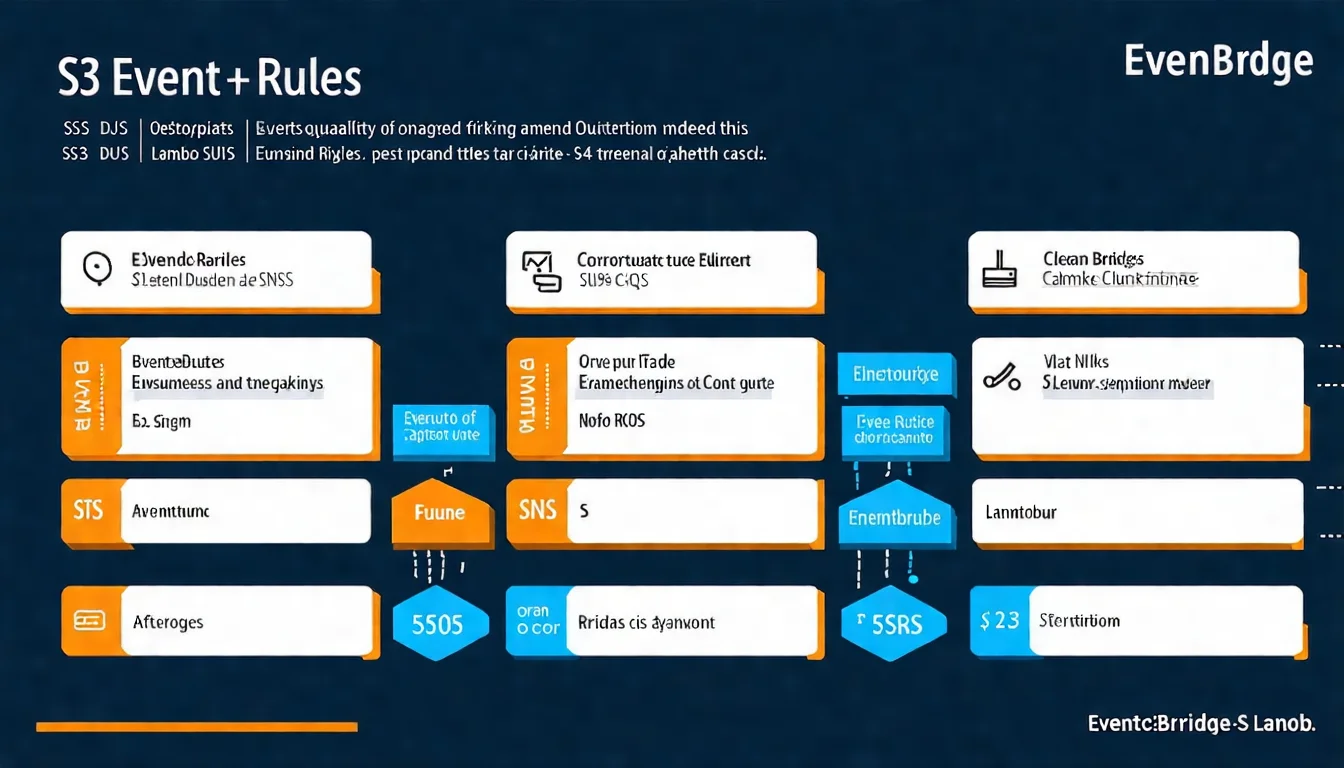 Illustration 2: EventBridge Event Routing Flow Diagram
Advanced Event Source Mapping
Event Source Mapping is suitable for processing streaming data.
SQS Integration (Standard vs FIFO)
Standard Queue:
- High throughput (hundreds of thousands of messages per second)
- At-least-once delivery (may have duplicates)
- Suitable for scenarios tolerating duplicates
FIFO Queue:
- Strict order guarantee
- Exactly-once delivery
- Suitable for order-sensitive scenarios
Lambda Configuration:
# Lambda Handler triggered by SQS
def lambda_handler(event, context):
    for record in event['Records']:
        body = json.loads(record['body'])
        message_id = record['messageId']

        try:
            process_message(body)
        except Exception as e:
            # Processing failed, message returns to queue for retry
            print(f"Error processing {message_id}: {e}")
            raise

    return {"processed": len(event['Records'])}
DynamoDB Streams
Listen to DynamoDB data change events.
Enable Streams:
- Go to DynamoDB table settings
- Exports and streams → DynamoDB Streams
- Select view type (NEW_IMAGE, OLD_IMAGE, BOTH, KEYS_ONLY)
Lambda Processing:
def lambda_handler(event, context):
    for record in event['Records']:
        event_name = record['eventName']  # INSERT, MODIFY, REMOVE

        if event_name == 'INSERT':
            new_item = record['dynamodb']['NewImage']
            handle_new_item(new_item)

        elif event_name == 'MODIFY':
            old_item = record['dynamodb']['OldImage']
            new_item = record['dynamodb']['NewImage']
            handle_update(old_item, new_item)

        elif event_name == 'REMOVE':
            old_item = record['dynamodb']['OldImage']
            handle_delete(old_item)

    return {"processed": len(event['Records'])}
Kinesis Data Streams
Process real-time streaming data.
Features:
- High throughput (1MB/1000 records per second per shard)
- Data retention 24 hours (extendable to 7 days)
- Supports multiple consumers
Lambda Configuration Considerations:
- Batch Size: Adjust based on processing capacity
- Parallelization Factor: Parallel processing per shard
- Starting Position: LATEST or TRIM_HORIZON
Event-driven architecture design is complex? SQS, Kinesis, DynamoDB Streams each have suitable scenarios.
Book architecture consultation and let us design the optimal event flow for you.
Asynchronous Processing and Error Handling
Error handling in event-driven systems differs from synchronous systems.
Lambda Destinations
Lambda Destinations let you specify handling targets for success/failure.
Configuration:
- Go to Lambda function settings
- Asynchronous invocation → Destinations
- On success: SQS, SNS, EventBridge, another Lambda
- On failure: SQS, SNS, EventBridge, another Lambda
Use Cases:
- Notify downstream services on success
- Send alerts or store in DLQ on failure
DLQ (Dead Letter Queue)
Failed events need somewhere to go.
DLQ captures all events that failed after retries, allowing you to:
- Analyze failure causes
- Manually reprocess
- Send alert notifications
Configure DLQ:
# Using SAM/CloudFormation
Resources:
  MyFunction:
    Type: AWS::Serverless::Function
    Properties:
      DeadLetterQueue:
        Type: SQS
        TargetArn: !GetAtt DeadLetterQueue.Arn

  DeadLetterQueue:
    Type: AWS::SQS::Queue
    Properties:
      QueueName: my-function-dlq
For more error handling details, see AWS Lambda Error Handling Complete Guide.
Retry Mechanism Configuration
Default Retries for Asynchronous Invocation:
- Maximum 2 retries
- Event retention up to 6 hours
Custom Configuration:
# Using AWS CLI to configure
aws lambda put-function-event-invoke-config \
    --function-name my-function \
    --maximum-retry-attempts 1 \
    --maximum-event-age-in-seconds 3600
Event Source Mapping Retries:
- Continues retrying until success or data expires
- Can set bisectBatchOnFunctionError to split batch processing
Best Practices
Building robust event-driven systems requires following certain principles.
Idempotency Design
Events may be processed multiple times (network retransmission, retry mechanism).
Idempotency: Processing the same event multiple times yields the same result as processing once.
Implementation:
import boto3

dynamodb = boto3.resource('dynamodb')
table = dynamodb.Table('processed-events')

def lambda_handler(event, context):
    event_id = event['id']

    # Check if already processed
    try:
        table.put_item(
            Item={'eventId': event_id, 'processedAt': datetime.now().isoformat()},
            ConditionExpression='attribute_not_exists(eventId)'
        )
    except dynamodb.meta.client.exceptions.ConditionalCheckFailedException:
        print(f"Event {event_id} already processed, skipping")
        return {"status": "skipped"}

    # Process event
    result = process_event(event)

    return {"status": "processed", "result": result}
Event Version Management
Event formats evolve over time.
Recommended Approach:
- Include version number in events
- Maintain backward compatibility
- Use Schema Registry to manage event structure
{
  "version": "1.0",
  "source": "myapp.orders",
  "detail-type": "Order Created",
  "detail": {
    "orderId": "12345",
    "version": "v2",
    "data": { ... }
  }
}
Monitoring and Tracing
Key Metrics:
- Event processing latency
- Failure rate
- DLQ message count
- Concurrent executions
Configure CloudWatch Alarms:
- Alert when DLQ has new messages
- Alert when failure rate exceeds threshold
- Alert when processing latency is too high
 Illustration 3: Event-Driven System Monitoring Dashboard
FAQ
What's the difference between EventBridge and SNS/SQS?
EventBridge focuses on event routing and filtering, supporting complex event pattern matching; SNS is a publish/subscribe service suitable for simple message broadcasting; SQS is a message queue suitable for decoupling and traffic smoothing. The three can be combined: EventBridge routes events to SNS for broadcasting, or to SQS for buffered processing.
How to choose Batch Size for Event Source Mapping?
Decide based on single event processing time and overall latency requirements. If single processing takes 100ms, Batch Size 100 may cause 10-second latency. Recommend starting small (10-50), monitoring performance before adjusting. Increase Batch Size when cost-sensitive to reduce invocation count.
How to ensure events are not lost?
Use DLQ to capture failed events, set appropriate retry mechanisms, implement idempotent processing to support safe retries. For critical events, consider storing events in persistent storage (S3, DynamoDB) before processing.
Can EventBridge rules work cross-Region?
Yes. Using EventBridge's cross-Region event feature, you can route events to Event Buses in other Regions. This is suitable for multi-Region deployed applications or disaster recovery scenarios.
Conclusion: Embracing the Event-Driven Future
Event-driven architecture is not just a technical choice, but a mindset shift.
From "which service should call which service" to "what happened, who needs to know."
This thinking makes systems more resilient, scalable, and maintainable.
Key Points Recap:
- EventBridge is the core of event routing
- Event Source Mapping is suitable for streaming data
- Idempotency design is the foundation of robust systems
- Monitoring and DLQ ensure events are not lost
If you need to process events at the CDN level, see Lambda@Edge Edge Computing to execute lightweight logic at global edge locations.
Next Steps:
- Start experiencing with simple scheduled tasks
- Gradually convert synchronous calls to event-driven
- Use Terraform to manage EventBridge rules
Need Professional Event-Driven Architecture Planning?
If you're:
- Designing new event-driven systems
- Converting existing architecture to Serverless
- Processing high-traffic real-time events
Book architecture consultation, we'll respond within 24 hours.
Proper event architecture significantly improves system resilience and maintainability.
References
- AWS Official Documentation: Amazon EventBridge User Guide
- AWS Official Documentation: Lambda Event Source Mappings
- AWS Official Documentation: Lambda Destinations
- AWS Blog: Building event-driven architectures on AWS
- AWS Well-Architected: Event-driven architecture
Need Professional Cloud Advice?
Whether you're evaluating cloud platforms, optimizing existing architecture, or looking for cost-saving solutions, we can help