What is Cloud Computing? 2025 Complete Guide: Definition, Service Models & Enterprise Applications
- Introduction: Why Is Every Company Talking About "Going to the Cloud"?
- 1\. Cloud Computing Basic Concepts
- 1.1 What is Cloud Computing?
- 1.2 Five Characteristics of Cloud Computing (NIST Definition)
- 1.3 Cloud Computing Development History
- 2\. Three Major Cloud Computing Service Models
- 2.1 IaaS (Infrastructure as a Service)
- 2.2 PaaS (Platform as a Service)
- 2.3 SaaS (Software as a Service)
- 2.4 Three Service Models Comparison Table
- 3\. Four Cloud Computing Deployment Models
- 3.1 Public Cloud
- 3.2 Private Cloud
- 3.3 Hybrid Cloud
- 3.4 Community Cloud
- 3.5 Deployment Model Comparison Table
- 4\. Major Cloud Computing Platform Comparison
- 4.1 AWS (Amazon Web Services)
- 4.2 GCP (Google Cloud Platform)
- 4.3 Azure (Microsoft Azure)
- 4.4 Other Platforms (Alibaba Cloud, Tencent Cloud, Chunghwa Telecom)
- 4.5 Platform Comparison Table
- Can't Decide Between AWS, GCP, Azure?
- 5\. Cloud Computing Use Cases
- 5.1 Enterprise Applications
- 5.2 Industry Applications
- 5.3 Taiwan Enterprise Cases
- 6\. Cloud Computing Pros and Cons Analysis
- 6.1 Advantages
- 6.2 Disadvantages and Challenges
- 6.3 Risk Assessment and Response
- 7\. Cloud Computing vs Edge Computing
- 7.1 Core Differences
- 7.2 Use Case Comparison
- 7.3 Integration Trends
- 8\. Cloud Computing Stocks Overview
- 9\. FAQ
- Q1: What is Cloud Computing?
- Q2: What is Cloud Computing in Chinese?
- Q3: What are the Five Characteristics of Cloud Computing?
- Q4: How to Choose Between IaaS, PaaS, SaaS?
- Q5: What Are the Four Deployment Models of Cloud Computing?
- Q6: What Are the Pros and Cons of Cloud Computing?
- Q7: What's the Difference Between Edge Computing and Cloud Computing?
- Q8: What Are Cloud Computing Privacy and Security Issues?
- 10\. Conclusion and Next Steps
- Need Professional Advice?
- How CloudSwap Can Help You?
- References
- Need Professional Cloud Advice?
Introduction: Why Is Every Company Talking About "Going to the Cloud"?
💡 Key Takeaway: Have you noticed that recently, whether large enterprises or startups, meetings always include "we need to go to the cloud"?
According to Gartner, global enterprise spending on public cloud services will exceed $800 billion in 2025. This isn't following trends—cloud computing has evolved from an "optional" to an enterprise survival "standard."
But the questions arise: What exactly is cloud computing? How are IaaS, PaaS, and SaaS different? How do you choose between AWS, GCP, and Azure?
Don't worry, this article will explain everything about cloud computing in the simplest terms, starting from zero.
Need quick answers? Schedule a free cloud consultation to have experts analyze for you directly.
 Illustration 1: Enterprise Cloud Transformation Decision Scene
1. Cloud Computing Basic Concepts
1.1 What is Cloud Computing?
The definition of Cloud Computing is simple:
Access and use computing resources on remote servers through the internet anytime, anywhere—including storage space, processing power, software services—without purchasing and maintaining physical equipment yourself.
In simpler terms:
Cloud computing is like "electricity."
100 years ago, factories needed to build their own power plants to use electricity. Now? Plug in and you have power, pay for what you use.
Cloud computing is the same. Previously, enterprises needing computing power had to buy servers, build data centers, and hire IT staff for maintenance. Now? Connect to AWS, GCP, or Azure, rent as much computing power as you need, and shut it down when done.
1.2 Five Characteristics of Cloud Computing (NIST Definition)
The National Institute of Standards and Technology (NIST) defined five core characteristics of cloud computing:
| Characteristic | Description | Real Example |
|---|---|---|
| On-demand self-service | Users can provision services without human approval | Click a few times in AWS console, have a VM ready in 5 minutes |
| Broad network access | Access from any device via network | Log into admin panel from phone, laptop, or tablet |
| Resource pooling | Multi-tenant sharing of computing resources | Dozens of companies' VMs running on the same physical server |
| Rapid elasticity | Scale resources up or down based on demand | Double 11 traffic surge, auto-scale to 100 servers |
| Measured service | Pay-per-use, fully transparent | Used 500GB storage this month, bill is crystal clear |
These five characteristics are the standard for judging whether a service is "truly cloud."
1.3 Cloud Computing Development History
Cloud computing didn't appear out of nowhere. Its evolution went like this:
1960s - Mainframe Era
- IBM mainframes provided time-sharing services
- Multiple users shared one computer's computing power
- This was the prototype of the "cloud" concept
1990s - Virtualization Technology Matures
- VMware and others developed virtualization technology
- One physical machine can run multiple virtual environments
- Resource utilization efficiency greatly improved
2006 - AWS Pioneered Public Cloud
- Amazon launched EC2 and S3
- First time enterprises could "rent" computing resources
- Opened the commercialization era of cloud computing
2010s - Three Giants Format Formed
- Google Cloud Platform (2008)
- Microsoft Azure (2010)
- Public cloud market grew rapidly
2020s - Multi-cloud and Hybrid Cloud Era
- Enterprises use multiple cloud platforms simultaneously
- Hybrid architecture integrating on-premises and cloud became mainstream
- AI/ML services became the new cloud battleground
 Illustration 2: Cloud Computing Evolution Timeline
2. Three Major Cloud Computing Service Models
This is one of the most important cloud computing concepts.
You've definitely heard IaaS, PaaS, SaaS. But how are they different?
The simplest way to understand is: using "building a house" as an analogy.
| Model | House Building Analogy | You're Responsible For | Cloud Handles |
|---|---|---|---|
| IaaS | Buy land, build house yourself | OS, applications, data | Servers, network, storage |
| PaaS | Buy unfinished house, decorate yourself | Applications, data | OS, runtime, servers |
| SaaS | Stay at hotel, move in ready | Just use it | Everything is handled |
2.1 IaaS (Infrastructure as a Service)
IaaS = Infrastructure as a Service
This is the bottom layer of cloud services. Cloud providers offer virtualized computing resources (CPU, memory, storage, network), and you decide what OS to install and what programs to run.
Major Products:
- AWS EC2
- Google Compute Engine
- Azure Virtual Machines
- Alibaba Cloud ECS
Best for:
- Enterprises needing full environment control
- Organizations with professional IT teams
- Applications requiring customized configuration
Advantages:
- Maximum flexibility and control
- Can run any software
- Scale on demand, controllable costs
Disadvantages:
- Requires more technical expertise
- Heavy management and maintenance workload
- Must handle security updates yourself
2.2 PaaS (Platform as a Service)
PaaS = Platform as a Service
Cloud providers offer not just hardware, but also OS and development tools. You only need to focus on writing code and deploying applications; everything else is handled.
Major Products:
- AWS Elastic Beanstalk
- Google App Engine
- Azure App Service
- Heroku
Best for:
- Teams focused on product development
- Startups, agile development
- Engineers who don't want to manage servers
Advantages:
- Fast development speed
- No need to manage underlying maintenance
- Auto-scaling, high availability
Disadvantages:
- Less flexibility than IaaS
- Potential platform lock-in risk
- Some special requirements are hard to implement
2.3 SaaS (Software as a Service)
SaaS = Software as a Service
This is the top layer of services. Software is used directly through browser or app; you don't need to install anything or care where it runs.
Major Products:
- Google Workspace (Gmail, Google Drive)
- Microsoft 365
- Salesforce
- Slack, Zoom, Notion
Best for:
- Everyone!
- General enterprise users
- Organizations that don't want to build their own systems
Advantages:
- Ready to use, zero maintenance
- Cross-device access
- Regular automatic updates
Disadvantages:
- Limited customization
- Data stored with third parties
- Long-term accumulated costs may not be low
2.4 Three Service Models Comparison Table
| Comparison Item | IaaS | PaaS | SaaS |
|---|---|---|---|
| Control Level | High | Medium | Low |
| Technical Threshold | High | Medium | Low |
| Maintenance Burden | Heavy | Medium | Light |
| Flexibility | Highest | Medium | Lowest |
| Best For | IT teams | Dev teams | General users |
| Cost Structure | Complex | Medium | Simple subscription |
Want to learn more about choosing? See What are IaaS, PaaS, SaaS? Complete Comparison of Three Cloud Service Models.
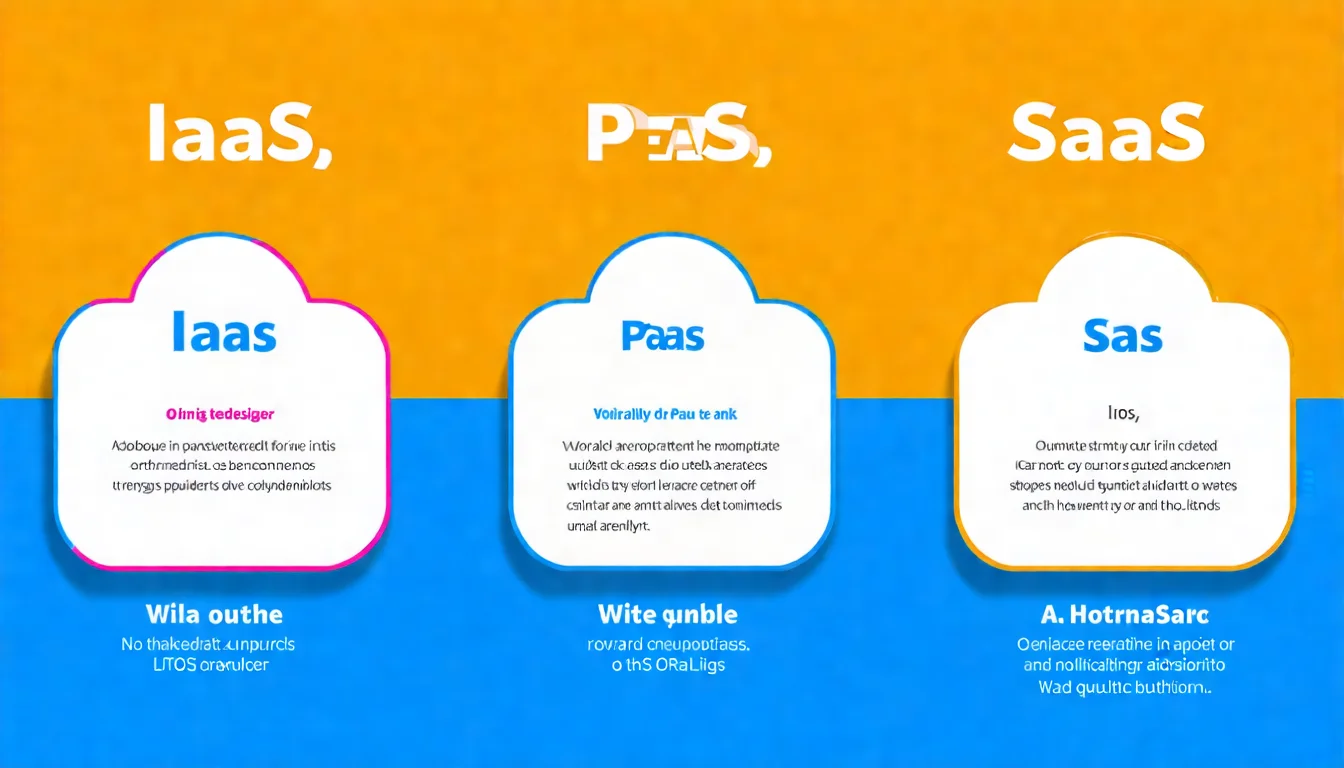 Illustration 3: Three Service Models Responsibility Layers
3. Four Cloud Computing Deployment Models
Besides service models, cloud computing has four "deployment models" that determine where your resources are located and who can access them.
3.1 Public Cloud
Definition: A shared cloud environment built and operated by cloud providers, available for rent by all enterprises and individuals.
Representative Providers: AWS, GCP, Azure, Alibaba Cloud
Characteristics:
- Shared resources, lowest cost
- Maximum flexibility, rapid scaling
- No need to build data centers
Best for:
- Startups
- Businesses with high traffic fluctuation
- Enterprises that don't want hardware investment
3.2 Private Cloud
Definition: A cloud environment dedicated to a single organization, possibly built in their own data center or specifically provided by a vendor.
Representative Solutions: VMware vSphere, OpenStack, AWS Outposts
Characteristics:
- Full control, high security
- Fully customizable
- Larger initial investment
Best for:
- High-compliance industries like finance and healthcare
- Enterprises with large amounts of sensitive data
- Organizations with existing data center investments
3.3 Hybrid Cloud
Definition: Architecture combining public cloud and private cloud (or on-premises data center), allowing data and applications to flow between them.
Representative Solutions: Azure Arc, Google Anthos, AWS Outposts
Characteristics:
- Balances flexibility and security
- Sensitive data stays on-premises, elastic workloads go to public cloud
- Higher architecture complexity
Best for:
- Traditional enterprises undergoing digital transformation
- Organizations with compliance requirements but also needing flexibility
- Enterprises requiring gradual cloud migration
3.4 Community Cloud
Definition: A cloud environment shared by multiple organizations with common needs, typically operated by industry alliances or government agencies.
Representative Cases: Government shared contract cloud services, healthcare cloud alliances
Characteristics:
- Meets specific industry regulations
- Costs shared by multiple parties
- Relatively closed ecosystem
Best for:
- Multiple enterprises in the same industry
- Government agencies
- Organizations needing specific regulatory compliance
3.5 Deployment Model Comparison Table
| Comparison Item | Public Cloud | Private Cloud | Hybrid Cloud | Community Cloud |
|---|---|---|---|---|
| Cost | Low | High | Medium | Medium |
| Security | Medium | High | High | Medium-High |
| Flexibility | Highest | Low | High | Medium |
| Control | Low | Highest | High | Medium |
| Suitable Scale | Any | Large | Medium-Large | Specific industries |
4. Major Cloud Computing Platform Comparison
Now for the question everyone cares about most: Which should you choose—AWS, GCP, or Azure?
4.1 AWS (Amazon Web Services)
Market Position: Global market share leader (approximately 32%)
Core Advantages:
- Most comprehensive services (200+ services)
- Most mature ecosystem
- Most global data centers (33 regions)
- Most enterprise customer experience
Best for:
- Large enterprises
- Organizations needing diverse services
- Teams with existing AWS talent
Pricing Characteristics:
- Complex billing, needs dedicated management
- Reserved Instances save 40-60%
- Has free tier but with many limitations
4.2 GCP (Google Cloud Platform)
Market Position: Global market share third (approximately 10%)
Core Advantages:
- Strongest in data analytics and AI/ML
- Kubernetes inventor (GKE most mature)
- Leading network architecture (Google's own fiber)
- Relatively transparent pricing
Best for:
- Data-intensive enterprises
- Teams with high AI/ML needs
- Organizations using Kubernetes
Pricing Characteristics:
- Automatic discounts (sustained use discounts)
- Relatively simple billing
- More generous free credits
4.3 Azure (Microsoft Azure)
Market Position: Global market share second (approximately 23%)
Core Advantages:
- Deep integration with Microsoft products
- Most complete hybrid cloud solutions
- Rich enterprise market experience
- Most compliance certifications
Best for:
- Enterprises using Microsoft technology stack
- Organizations needing hybrid cloud
- High-compliance industries like government and finance
Pricing Characteristics:
- EA contracts can negotiate discounts
- Discounts when bundled with M365
- Hybrid licensing saves costs
4.4 Other Platforms (Alibaba Cloud, Tencent Cloud, Chunghwa Telecom)
Alibaba Cloud:
- Leading in Asia Pacific market
- Suitable for enterprises with China market needs
- Most complete Chinese support
Tencent Cloud:
- Strong in gaming and social domains
- High price competitiveness
- Suitable for SMBs
Chunghwa Telecom hicloud:
- Local service, Chinese customer support
- Complies with Taiwan regulations
- Suitable for enterprises needing local support
4.5 Platform Comparison Table
| Comparison Item | AWS | GCP | Azure | Alibaba Cloud |
|---|---|---|---|---|
| Market Share | 32% | 10% | 23% | 5% |
| Service Count | 200+ | 150+ | 200+ | 100+ |
| AI/ML | Strong | Strongest | Strong | Medium |
| Containers/K8s | Strong | Strongest | Strong | Medium |
| Hybrid Cloud | Strong | Medium | Strongest | Medium |
| Chinese Support | Medium | Medium | Medium | Strongest |
| Taiwan Data Center | No | Yes | No | No |
Can't Decide Between AWS, GCP, Azure?
Each platform has pros and cons; choosing wrong could cost you several times more.
Stop guessing. Schedule a free consultation, tell us your needs, and we'll give you neutral advice.
Want more detailed platform analysis? See 2025 Cloud Computing Platform Comparison: AWS vs GCP vs Azure Complete Review.
 Illustration 4: Three Major Cloud Platform Feature Comparison
5. Cloud Computing Use Cases
Cloud computing isn't a concept—it's real-world business applications.
5.1 Enterprise Applications
Disaster Recovery (DR):
- Enterprises store backups in remote cloud locations
- Quick switchover when data center fails
- Cost is only 1/10 of traditional solutions
Development and Testing Environments:
- Dev teams spin up on demand
- Shut down after testing, no waste
- Consistent environments, fewer "works on my machine" problems
Big Data Analytics:
- Process TB, PB-scale data
- Elastically scale computing resources
- Analysis done, shut down, only pay for what you use
5.2 Industry Applications
E-commerce Retail:
- Auto-scale during Double 11, anniversary sales
- Maintain minimal resources normally
- Save massive server idle costs
Financial Services:
- Real-time transaction processing
- Risk model computation
- Compliant private cloud
Healthcare:
- Medical image storage and analysis
- AI-assisted diagnosis
- Telemedicine platforms
5.3 Taiwan Enterprise Cases
Cathay Financial Holdings:
- Launched "cloud-first" strategy in 2020
- Core systems gradually migrating to cloud
- Accelerating financial service innovation
TSMC:
- Smart factory data analytics
- AI-assisted process optimization
- Edge computing + cloud integration
momo Shopping:
- Double 11 traffic increased 10x
- Cloud auto-scaling handled it
- Zero downtime during major promotion
Want more success stories? See Cloud Computing Case Studies: 10 Successful Enterprise Digital Transformation Examples.
6. Cloud Computing Pros and Cons Analysis
Every technology has pros and cons. Objective analysis leads to correct decisions.
6.1 Advantages
Cost Efficiency:
- No upfront hardware investment
- Pay-per-use, pay for what you consume
- Reduce IT operations staff
Elastic Scaling:
- Scale to hundreds of servers in minutes
- Auto-shrink to avoid waste
- Handle traffic fluctuations with ease
Global Deployment:
- One-click deployment worldwide
- Reduce latency, improve user experience
- Support global business expansion
Focus on Core Business:
- No need to manage data centers, hardware, network
- IT teams focus on innovation, not operations
- Accelerate time to market
6.2 Disadvantages and Challenges
Vendor Lock-in:
- High migration costs
- Incompatible APIs between platforms
- May be tied to specific vendors
Network Dependency:
- No access when offline
- Bandwidth affects performance
- Limited offline usage
Security Concerns:
- Data stored with third parties
- Potential risks in shared environments
- Additional security measures needed
Cost Control Difficulty:
- Complex, hard-to-understand bills
- Easy to overspend
- Needs professional monitoring
6.3 Risk Assessment and Response
| Risk | Response Strategy |
|---|---|
| Vendor lock-in | Adopt multi-cloud strategy, use open-source tools |
| Data breach | Encryption, access control, regular audits |
| Service outage | Multi-region deployment, disaster recovery plan |
| Cost overrun | Budget alerts, Reserved Instances, regular review |
Want to learn more about cloud security? See Cloud Computing Security Guide: Privacy Security Issues and Compliance Strategies.
7. Cloud Computing vs Edge Computing
You may have heard "edge computing." How does it relate to cloud computing?
7.1 Core Differences
Cloud Computing:
- Data sent to remote data centers for processing
- Centralized computing
- Higher latency (milliseconds to seconds)
Edge Computing:
- Data processed on edge devices close to where it's generated
- Distributed computing
- Very low latency (microseconds to milliseconds)
7.2 Use Case Comparison
| Scenario | Suitable for Cloud Computing | Suitable for Edge Computing |
|---|---|---|
| Big data analytics | Yes | No |
| Real-time image recognition | No | Yes |
| Website hosting | Yes | No |
| Autonomous vehicles | No | Yes |
| AI model training | Yes | No |
| Smart factory sensing | No | Yes |
7.3 Integration Trends
Actually, cloud computing and edge computing aren't either/or—they're complementary.
Modern Architecture Trends:
- Edge processes real-time, sensitive data
- Aggregated data sent to cloud for deep analysis
- AI models trained in cloud, deployed to edge for execution
Want to learn more? See Edge Computing vs Cloud Computing: Differences, Use Cases, and Integration Strategies.
8. Cloud Computing Stocks Overview
If you're interested in cloud computing's investment value, here's a brief introduction to related stocks.
Taiwan Stock Related Groups:
- Server ODM: Quanta, Wistron, Inventec
- Server Brand: Wiwynn
- Networking Equipment: Accton, Sercomm
- Thermal Solutions: Auras, CCI
US Stock Related Targets:
- Cloud Three Giants: Amazon, Microsoft, Google
- SaaS Software: Salesforce, Snowflake, Datadog
For detailed investment analysis, see 2025 Cloud Computing Stocks: Taiwan and US Stock Investment Analysis.
Disclaimer: This article does not constitute investment advice. Investing involves risk; please evaluate carefully.
9. FAQ
Q1: What is Cloud Computing?
Cloud computing is accessing remote server computing resources (like storage, computing, software) through the internet, without purchasing and maintaining hardware equipment yourself. Simply put, it's "renting" computing power—pay for what you use.
Q2: What is Cloud Computing in Chinese?
Cloud Computing is called "cloud computing" in Chinese, literally translated as "cloud-based computing."
Q3: What are the Five Characteristics of Cloud Computing?
According to NIST definition, the five characteristics are:
- On-demand self-service
- Broad network access
- Resource pooling
- Rapid elasticity
- Measured service
Q4: How to Choose Between IaaS, PaaS, SaaS?
- IaaS: Need complete environment control, have professional IT team
- PaaS: Focus on development, don't want to manage servers
- SaaS: Ready to use, general business users
Q5: What Are the Four Deployment Models of Cloud Computing?
- Public Cloud: Shared environments like AWS, GCP, Azure
- Private Cloud: Environment dedicated to single organization
- Hybrid Cloud: Integration of public cloud + private cloud/on-premises
- Community Cloud: Environment shared by related organizations
Q6: What Are the Pros and Cons of Cloud Computing?
Pros: High cost efficiency, elastic scaling, global deployment, reduced operations Cons: Vendor lock-in, network dependency, security concerns, cost control difficulty
Q7: What's the Difference Between Edge Computing and Cloud Computing?
Cloud computing is centralized processing—data sent to remote data centers. Edge computing is distributed processing—data processed on edge devices close to where it's generated. The former suits big data analytics; the latter suits real-time applications (like autonomous vehicles, industrial IoT).
Q8: What Are Cloud Computing Privacy and Security Issues?
Main risks include: data breach, account hijacking, insecure APIs, system vulnerabilities, misconfiguration, DDoS attacks. Recommended measures include encryption, multi-factor authentication, and regular audits.
10. Conclusion and Next Steps
After reading this, you should have a complete understanding of cloud computing.
Key Takeaways:
- Cloud computing = Renting computing resources via internet
- Three service models: IaaS, PaaS, SaaS
- Four deployment models: Public cloud, private cloud, hybrid cloud, community cloud
- Major platforms: AWS, GCP, Azure each have advantages
Recommended Next Steps:
- Assess Current State: Inventory current IT architecture and needs
- Set Goals: What problems to solve? Save costs? Increase flexibility?
- Choose Platform: Select suitable cloud platform based on needs
- Plan Path: Develop gradual cloud migration plan
- Seek Help: Find professional consultants when necessary
Need Professional Advice?
Choosing a cloud platform isn't just about price—consider architecture, scalability, and long-term costs.
How CloudSwap Can Help You?
- Multi-cloud Platform Evaluation: Compare AWS, GCP, Azure, Alibaba Cloud at once
- Cost Optimization Analysis: Find wasted items in your bills
- Architecture Design Consulting: Build high-availability, low-cost cloud architecture
- Migration Planning: Develop safe, stable cloud migration path
Schedule a free consultation and let us help you analyze the best solution.
References
- NIST, "The NIST Definition of Cloud Computing" (SP 800-145)
- Gartner, "Forecast: Public Cloud Services, Worldwide, 2022-2027" (2024)
- Synergy Research Group, "Cloud Market Share Q3 2024"
- AWS, "What is Cloud Computing?"
- Google Cloud, "What is Cloud Computing?"
- Microsoft Azure, "What is Cloud Computing?"
Need Professional Cloud Advice?
Whether you're evaluating cloud platforms, optimizing existing architecture, or looking for cost-saving solutions, we can help